
Over on Reddit, we spotted our Pimoroni Explorer board doing something rather wonderful. Playing Quake!
Zenodante's Quake for RP2350 is a port of the seminal first person shooter's single-player campaign. Yes, Quake on a microcontroller! A game that once required a £1,000 PC in the 1990s can now run on a £33.90 board!
RP2350 Quake is a fork of Next-Hack's MG24Quake, which exclusively targets Pimoroni Explorer and won't easily work on other ST7789-based displays.
Running Quake on a typical Raspberry Pi Pico 2 would require external storage for the game files. But the Pimoroni Explorer has 16MB of QSPI flash, giving Zenodante enough space to squeeze the game onto the onboard storage. Explorer's 2.8-inch IPS display has a resolution of 320 × 240 pixels, which is close enough to the software-rendered 320 × 200 pixel resolution. Sound is provided via the onboard speaker, and it can get pretty scary at times. Can anyone else hear mutant dogs barking?
The game makes use of both cores of the RP2350B:
- Core 0: Game logic, local server/client, collision, QuakeC compiled to C, and the optimised MG24 renderer. ARM assembly rendering branches are replaced with C paths using
QMAC_RENDER_C=1. - Core 1: LCD output, input polling, ADPCM decoding and mixing. A single 64,000-byte indexed framebuffer feeds two 320-pixel RGB565 scanline buffers.
Installation is easy, but you need to read the instructions! Download the UF2 firmware and then press and hold BOOT and tap RESET. Explorer will appear as a drive, RP2350 in your file manager. Copy the UF2 file across and let the board reboot. Now, do the same BOOT, RESET sequence and copy this UF2 file to the RP2350 drive. Note, this second copy will take around five minutes to complete. Once the install is done plug in a Qw/ST joypad controller, and get your game on! This is the shareware version of the game, enough to show that you could definitely spend many hours immersed in Quake. If you have the original Quake .pak files then you can compile your own version and play the entire game on Pimoroni Explorer.
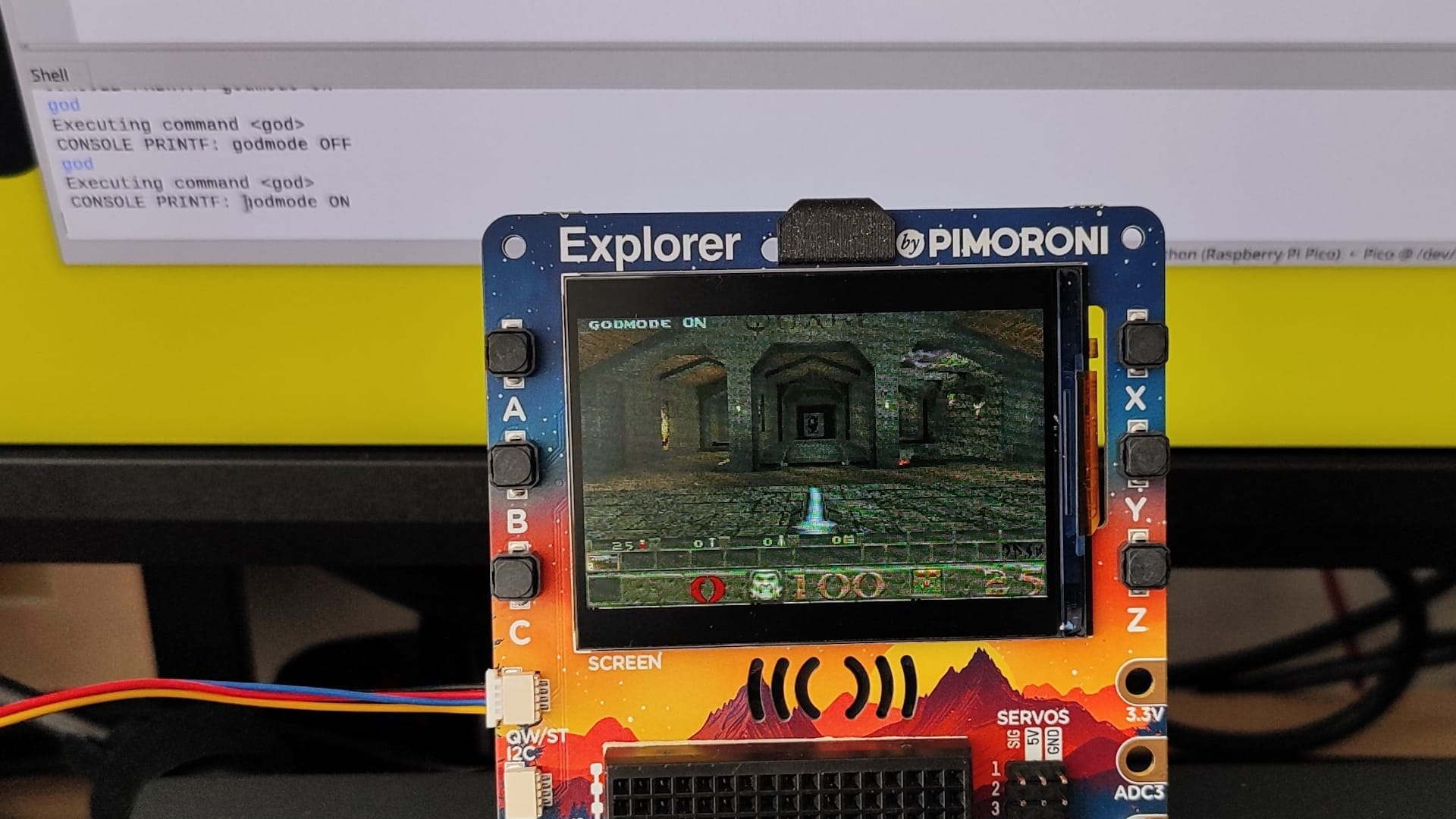
And yes, you can issue console commands to give you all the weapons, god mode etc. With Explorer connected to your PC, open Thonny and enter the commands in the Python Shell. god, give all, impulse 9 etc, are all there for those of us with less than sharp reflexes.
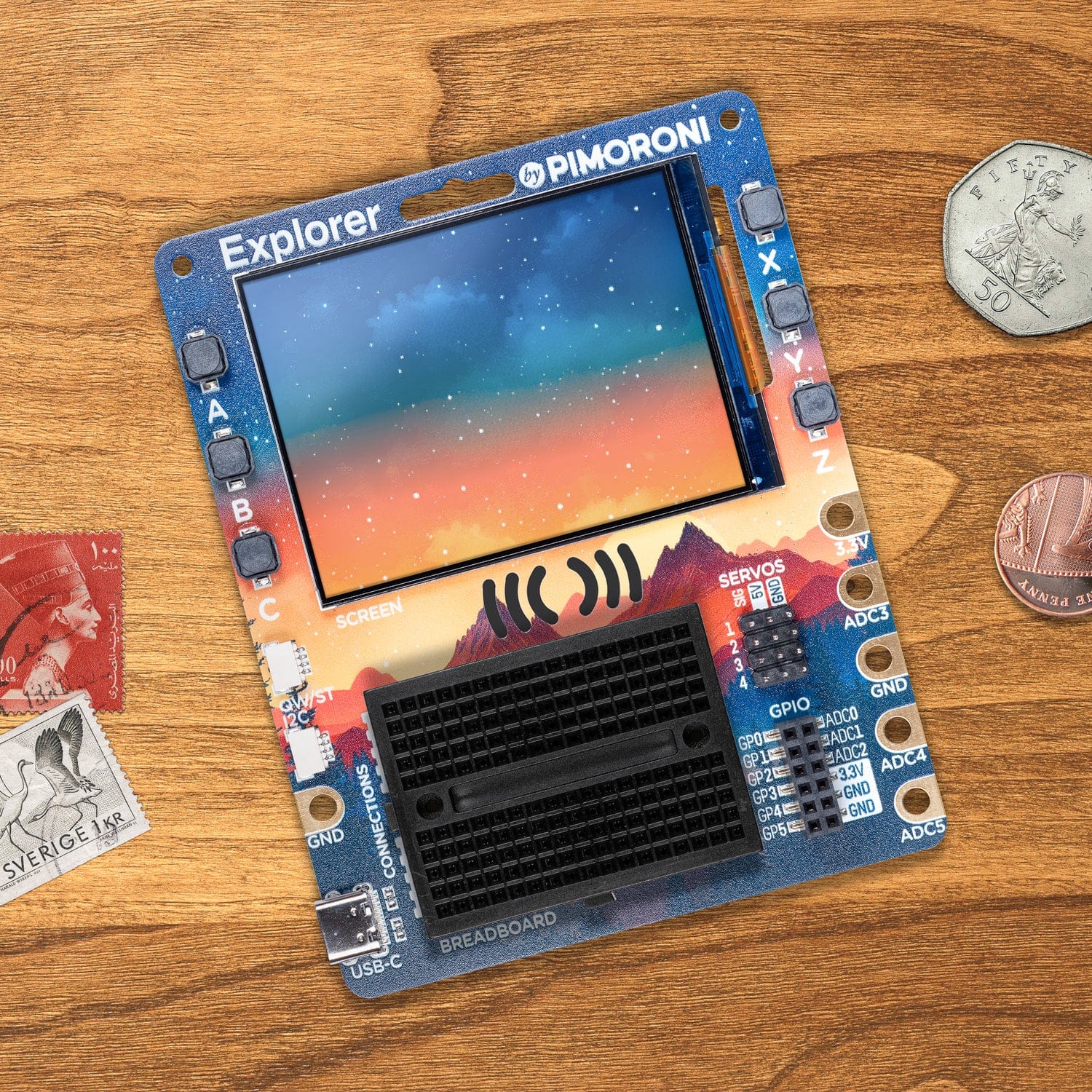
Pimoroni Explorer
An electronic adventure playground for physical computing, built around the RP2350 chip. Includes a 2.8" LCD screen, a speaker, a mini breadboard, and much more!
Got a cool Pimoroni Explorer project that you want to tell us about? Drop Les an email!